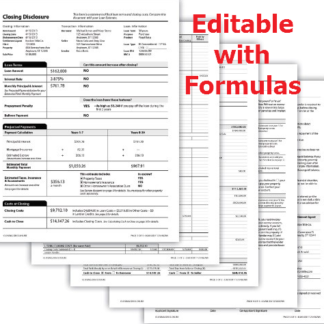
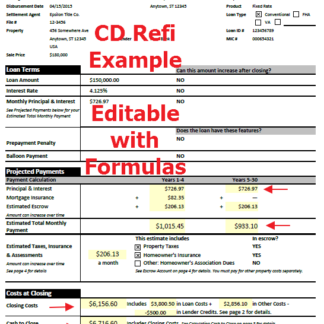
What is a HUD-1 Settlement Statement? A HUD-1 Settlement Statement is a standardized document used in real estate transactions to itemize all charges and credits to the borrower and the seller. While largely replaced by the Closing Disclosure (CD) for most residential mortgages, it remains essential for reverse mortgages, HELOCs, and certain commercial transactions.
Filling out a HUD-1 Settlement Statement can be a daunting task for real estate professionals and home buyers alike. This essential document provides a detailed breakdown of all the costs associated with a real estate transaction, including loan fees, taxes, and commissions. While the industry has largely shifted to the Closing Disclosure (CD) for most residential mortgages, the HUD-1 remains a critical document for reverse mortgages and certain other types of real estate transactions. In this comprehensive guide, we’ll walk you through the step-by-step process of filling out a HUD-1 form in Excel, from entering basic transaction details to finalizing the settlement costs.

Why Use an Excel HUD-1 Form?
Excel-based forms offer several advantages over traditional paper or PDF forms, especially when dealing with complex financial calculations. Here’s why real estate professionals prefer them:
- Automated Calculations: Formulas can automatically calculate totals, tax prorations, and other complex figures, significantly reducing the risk of manual errors that could delay a closing.
- Easy Editing: Real estate transactions are dynamic. You can quickly make changes and updates as the transaction progresses without having to start over from scratch.
- Professional Appearance: Excel allows for clean formatting and professional presentation, which is essential for client-facing documents and maintaining brand trust.
- Data Integration: If you use other spreadsheets for transaction management, you can often link data directly into your HUD-1 template.
Step 1: Enter Basic Transaction Information
The first section of the HUD-1 (Sections A through I) identifies the parties involved and the property being transferred. Accuracy here is paramount as these details will be cross-referenced with the deed and mortgage documents.
- Section B (Type of Loan): Mark whether the loan is FHA, VA, Conventional, or other.
- Section E (Name and Address of Seller): Ensure the name matches the title report exactly.
- Section F (Name and Address of Borrower): Double-check the spelling of the borrower’s name.
- Section G (Property Location): Include the full legal address and, if possible, the parcel ID.
- Section I (Settlement Date): This is the date the funds are disbursed and the transaction is finalized.
Step 2: Summary of Borrower’s Transaction (Section J)
Section J provides a high-level summary of the borrower’s side of the deal. It is divided into three main parts: the 100 series (Gross Amount Due from Borrower), the 200 series (Amounts Paid by or in Behalf of Borrower), and the 300 series (Cash at Settlement from/to Borrower).
The 100 Series: This includes the contract sales price (Line 101), any personal property being sold (Line 102), and settlement charges from the second page (Line 103). You’ll also include adjustments for items paid by the seller in advance, such as property taxes or homeowner association fees.
The 200 Series: This is where you list the borrower’s credits. Common items include the earnest money deposit (Line 201), the principal amount of the new loan (Line 202), and any existing liens being assumed (Line 203). Similar to the 100 series, you’ll adjust for items unpaid by the seller, like accrued property taxes.
The 300 Series: This is the “bottom line” for the borrower. Line 303 will show the final amount the borrower needs to bring to the closing table (or the amount they will receive back if they are refinancing).
Step 3: Summary of Seller’s Transaction (Section K)
Section K mirrors Section J but from the seller’s perspective. It determines the “net proceeds” the seller will walk away with after all liens and expenses are paid.
The 400 Series: This is the gross amount due to the seller, primarily the sales price (Line 401) plus any adjustments for prepaid items.
The 500 Series: This lists the seller’s expenses and deductions. The biggest items are usually the payoff of existing mortgages (Lines 504-505) and the settlement charges from page 2 (Line 502). You’ll also include any seller-paid closing costs or credits to the buyer.
The 600 Series: Line 603 is the final number the seller is most interested in—the net cash they receive at settlement.
Step 4: Itemizing Settlement Charges (Page 2)
Page 2 of the HUD-1 is where the “heavy lifting” happens. This is where every single fee is itemized and assigned to either the borrower or the seller. In an Excel template, these lines should be linked to the summaries on Page 1.
700 Series (Broker Commissions): List the total commission and how it’s split between the listing and selling brokers. Usually, this is a seller expense.
800 Series (Items Payable in Connection with Loan): This includes the loan origination fee, appraisal fee, credit report fee, and any mortgage insurance application fees. These are typically borrower expenses.
900 Series (Items Required by Lender to be Paid in Advance): This covers daily interest charges from the closing date to the end of the month, as well as the first year’s hazard insurance premium.
1000 Series (Reserves Deposited with Lender): These are the “escrow” items. The lender will collect several months of property taxes and insurance to ensure they have enough to pay the bills when they come due.
1100 Series (Title Charges): This is often the most complex section. It includes the settlement fee, title search, document preparation, and the premiums for both the lender’s and owner’s title insurance policies.
1200 Series (Government Recording and Transfer Charges): Fees for recording the deed and mortgage at the county office, plus any state or local transfer taxes.
Common Pitfalls to Avoid
Even with a great Excel template, errors can creep in. Watch out for these common mistakes:
- Incorrect Tax Prorations: Ensure you are using the correct number of days in the year (360 vs. 365) and the correct fiscal year for your local municipality.
- Missing Credits: Don’t forget to credit the buyer for any repairs agreed upon during the inspection or for any rent prorations if the property is tenant-occupied.
- Math Errors in Manual Entries: While Excel automates much of the work, any number you type in manually must be double-checked.
- Inconsistent Names: Ensure the names of all parties are consistent across all pages of the HUD-1 and match the legal documents.
HUD-1 vs. Closing Disclosure (CD)
It’s important to understand when to use a HUD-1 versus a Closing Disclosure. Since the implementation of the TILA-RESPA Integrated Disclosure (TRID) rule in 2015, the CD has replaced the HUD-1 for most residential mortgages. However, the HUD-1 is still used for:
- Reverse Mortgages
- Home Equity Lines of Credit (HELOCs)
- Mobile Home Loans (not secured by real property)
- Transactions involving certain types of subordinate lien financing
Conclusion
Mastering the HUD-1 Settlement Statement is a vital skill for anyone involved in specialized real estate transactions. By using a well-structured Excel template, you can ensure accuracy, save time, and provide a professional experience for your clients. Remember, the key to a smooth closing is attention to detail and a clear understanding of how each line item impacts the final bottom line.
Get Your Professional HUD-1 Excel Template
Ready to simplify your real estate closings and ensure 100% accuracy every time? Our professionally designed HUD-1 Form Fillable Settlement Statement is the industry standard. It includes all the automated formulas, tax proration tools, and professional formatting you need to create perfect settlement statements in minutes.
Stop struggling with manual calculations and outdated forms. Download your copy today and take the stress out of your next real estate transaction!
Frequently Asked Questions (FAQ)
Is the HUD-1 still used in 2026? Yes. While the Closing Disclosure (CD) is the standard for most home loans, the HUD-1 is still legally required for reverse mortgages (HECMs), home equity lines of credit (HELOCs), and mobile home loans not secured by real property.
Can I use Excel for a HUD-1 form? Absolutely. Using an Excel-based HUD-1 template is often preferred by professionals because it allows for automated calculations, reducing the risk of manual entry errors and ensuring tax prorations are accurate.
What is the difference between HUD-1 and Closing Disclosure? The HUD-1 was the primary settlement statement before 2015. The Closing Disclosure (CD) combined the final Truth-in-Lending statement and the HUD-1 into a single document for most consumer mortgages under TRID rules.